How to make a seamless Instagram carousel (art that flows across slides)
A seamless carousel is one where an image or element flows from one slide to the next, inviting people to swipe. It works well for product showcases, storytelling and increasing time spent on a post. The trick is to design on one wide canvas and slice it into equal parts.
How to do it in Edith
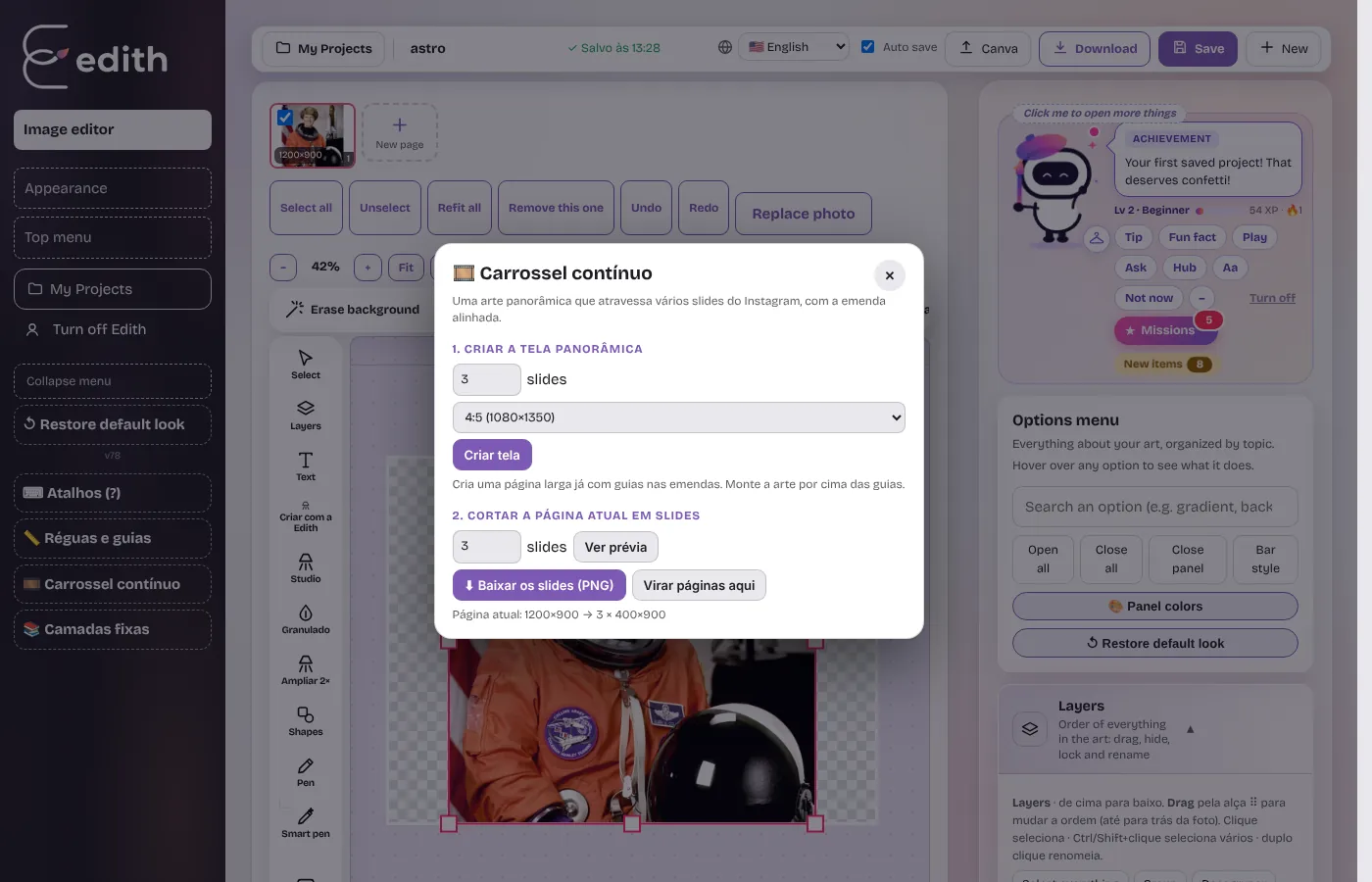
- In the dark left menu, click Seamless carousel.
- Under Create the panorama canvas, choose how many slides (2 to 10) and the format (4:5 or square), then click Create canvas.
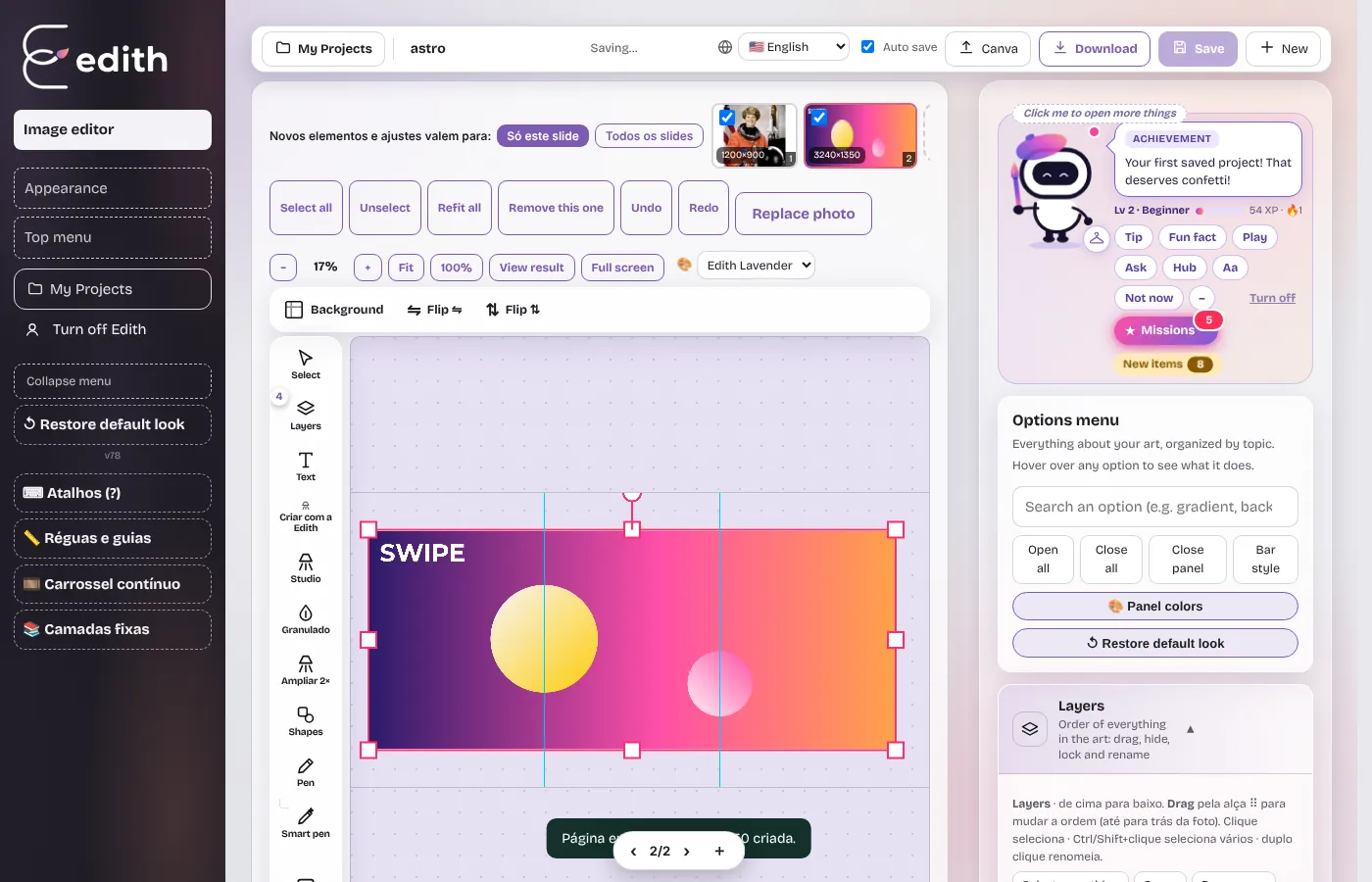
- Edith creates a wide page with pink guides at the seams between slides.
- Build your art on top: background, photos, text, shapes. Let at least one element cross a seam for the continuity effect.
- Open Seamless carousel again, check the preview under Slice the current page into slides and click Download slides (PNG).
- Post the files in order, slide 1 to the last.
Design tips
- Avoid small text on the seams. The cut line may split a letter.
- Cross seams with big elements: a shape, a photo, a line, a character.
- Keep margins on the outer edges of the first and last slide.
- Treat slide 1 as a cover. It has to work alone in the feed before anyone swipes.
Size limit
The editor canvas is limited to 4000 px wide. Three 1080 px slides make a 3240 px canvas. With four or more slides each one ends up slightly smaller than 1080 px, and the editor tells you when that happens.
Ready to try it?
Edith is a free online image editor that runs in your browser, no sign-up.
Open Edith (free)More guides
Meet Edith: the story behind the editor and everything it doesThe idea behind Edith, the mascot, what the editor does today and who it was built for: design, social media and creative work at scale.How to customize the Edith interface: themes, colors, bars and toolsMake the editor yours: ready-made themes, area colors, side or top menu, tool organization, pinned layers and restoring the default look.The main Edith tools and when to use each oneA strategic guide to Edith's tools: cut out, compose, add atmosphere, ensure quality and produce at scale.How to extract frames from a video as JPG or PNG (and use them in your design)Upload a video to Edith, generate every frame as an image, improve quality and add it to a layer, a new page or download as JPG/PNG.