Meet Edith: the story behind the editor and everything it does
Edith is an image and art editor that runs right in your browser, on desktop or phone, with no sign-up and no installation. This guide explains the idea behind the project and gives a strategic overview of what you can do with it.
Why Edith exists
Edith started from an idea: a platform that brings marketing and visual creation work together in one place. People who produce content usually jump between several programs, one to cut out, one to compose, one to vectorize, one to plan and export. Edith aims to join that whole path to save time and make creating faster and simpler.
Behind it is a belief: editing is art, and editing is a skill everyone has. That is why the project was born wanting to be completely free and to spread, so more people can access good creative tools.
The inspiration: learn and create without the weight
The idea is to combine the best of several worlds: the ease of a template editor, the depth of image and vector editors, and the lightness of an app you want to open every day. That is why Edith has a mascot, levels, experience points and missions, in a style reminiscent of a virtual pet. People who work with content often spend long stretches focused on a single thing and rarely have time to learn something new. Edith wants you to work and learn at the same time: she gives tips, shares curiosities and suggests small challenges while you create. It is a long-term goal: to be a place to learn, to create and to plan marketing at the same time.
Personalization first
Another pillar is personalization: your interface and your tools, your way. Themes, menus, bars, icons, stickers and buttons can be adjusted so the editor looks like you. See the customization guide.
The project began as a simple image editor and keeps growing, with features such as AI cutout, layers, text, blend modes, vectorizing, light effects, upscaling, video to frames, editable PDF, mockups, export in many formats and productivity tools like rulers, guides and the seamless carousel. The interface is available in Portuguese, English and Spanish, and the intention is to keep bringing new, innovative tools.
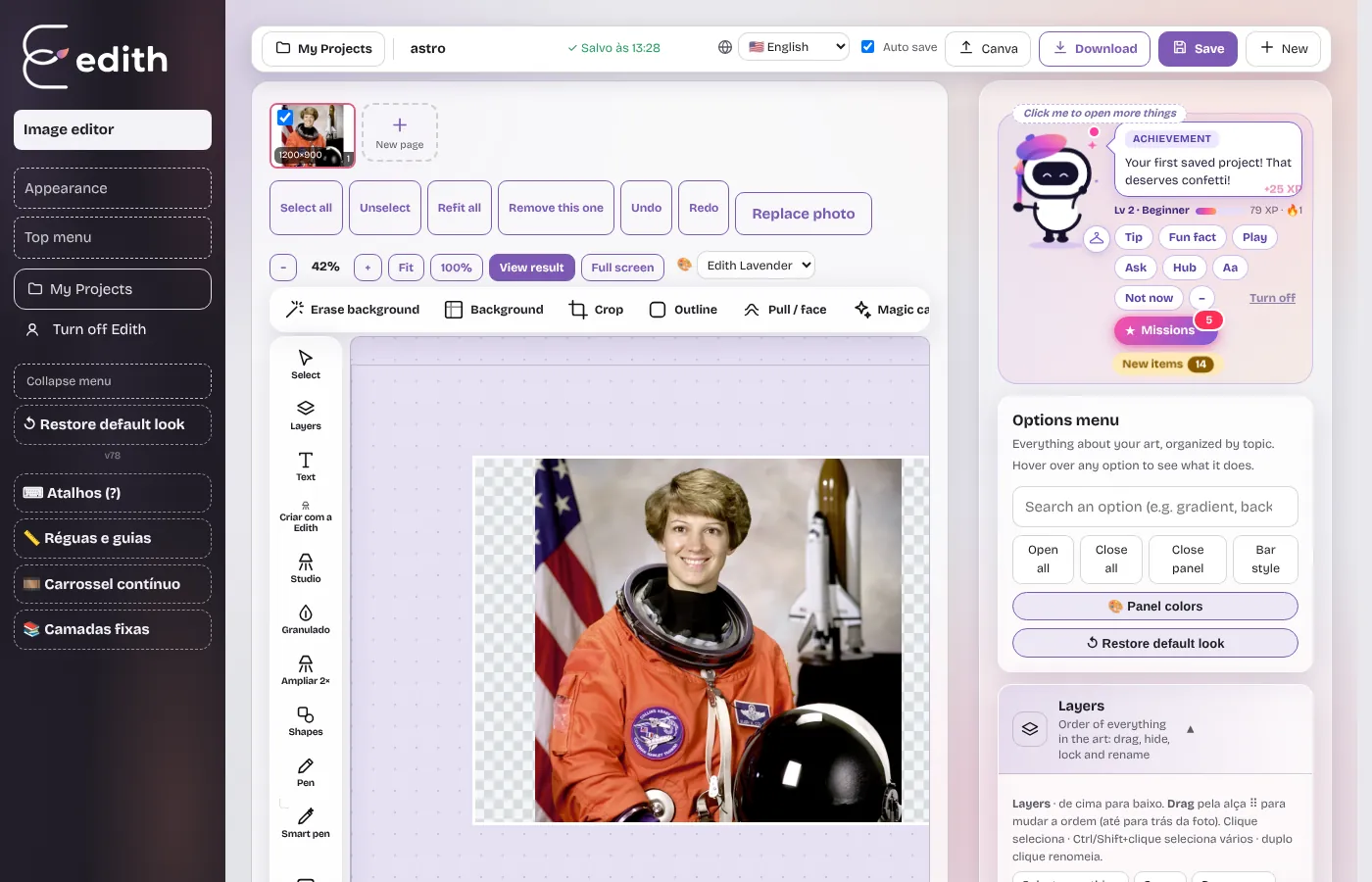
The mascot: Edith keeps you company
Edith is also the project's character. She sits in the corner of the screen and talks to you: tips, art and design fun facts, small challenges, and comments on what is happening in your work, like when text is hard to read over a photo. There are levels, experience points and missions that make learning lighter. If you prefer a quiet workspace, the mascot can be turned off at any time.
What you can do: a strategic view
- 1. Isolate and prepare: AI background removal, removing unwanted objects and cutting parts of an image.
- 2. Compose: layers, shapes, gradients, text and blend modes.
- 3. Add atmosphere: lights, glows, motion blur, grain and effects such as pixel art and halftone.
- 4. Ensure quality: upscale images, check text legibility, align with rulers and guides and respect safe zones.
- 5. Deliver: export PNG, JPG, SVG, PDF or layered PSD, save editable projects and build carousels for social media.
Privacy from the start
Editing happens on your device. The photos you open are not uploaded to an editing server, and projects are saved in your browser. This is a design choice, important if you work with client photos or unpublished material.
Who Edith is for
- Social media managers and creators making many pieces per week.
- Small businesses that need product art, promotions and covers.
- Designers who want a light editor for quick adjustments, vectorizing and export.
- Students and beginners learning concepts such as layers and contrast.
How the project sustains itself
Most of Edith is free and the intention is for it to stay that way. To keep the project going, the site shows ads on content pages and accepts voluntary support from people who like the tool. The editor itself does not load ads.
Next, see the guides to customize the interface and about the main tools.
Ready to try it?
Edith is a free online image editor that runs in your browser, no sign-up.
Open Edith (free)