How to extract frames from a video as JPG or PNG (and use them in your design)
Need the exact still from a moment in a video? Edith's Video to frames tool turns any video into regular images: pick the frame, apply a quality treatment and use it in your design or download it as JPG or PNG. It all happens in your browser; the video is never uploaded to a server.
What it is for
- Grab a cover photo from a product, event or tutorial video.
- Create YouTube and Reels thumbnails from the best moment.
- Build a frame sequence for a carousel or storyboard.
- Save the perfect still when the original photo does not exist.
Step 1: open the tool and choose the video
In the left menu, click Video to frames and pick a video file from your device. The video shows with a slider and buttons to step back or forward one frame at a time so you can find the right instant.
To grab a single frame, position it and click Capture this frame and it is added to the grid below.
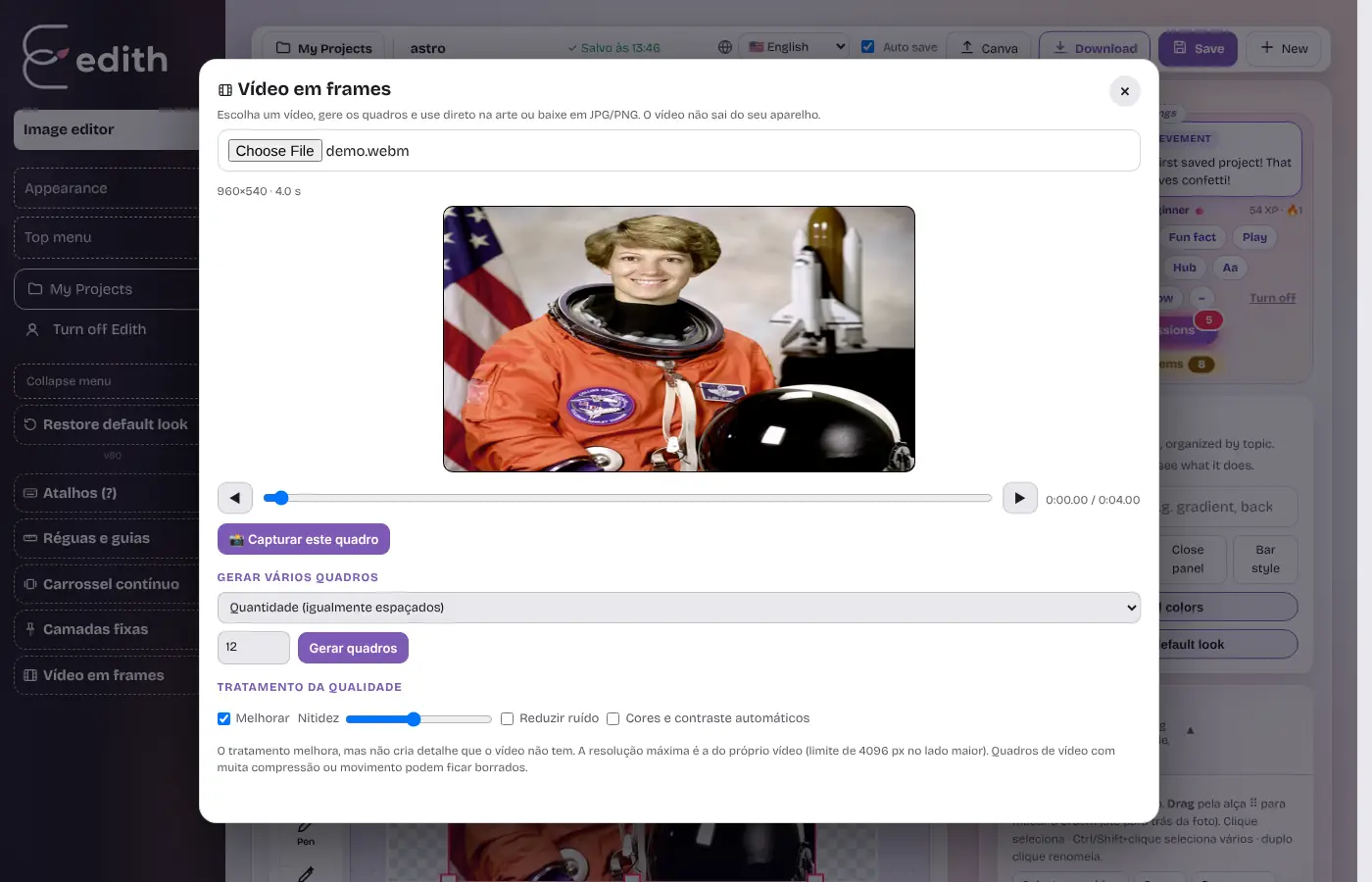
Step 2: generate many frames at once
Under Generate several frames, choose how to spread them: by count (evenly spaced), every X seconds, or nearly all (about 30 per second, max 240). Click Generate frames and the image grid appears.
Step 3: improve quality
Video frames are usually softer than photos. Under Quality treatment you can turn on:
- Sharpen: brings out detail with adjustable strength.
- Reduce noise: smooths grain in dark videos.
- Auto color and contrast: fixes washed-out images.
An honest note: the treatment improves the image but cannot invent detail the video does not have. Maximum resolution is the video's own (capped at 4096 px on the long side), and heavily compressed videos may look blurry.
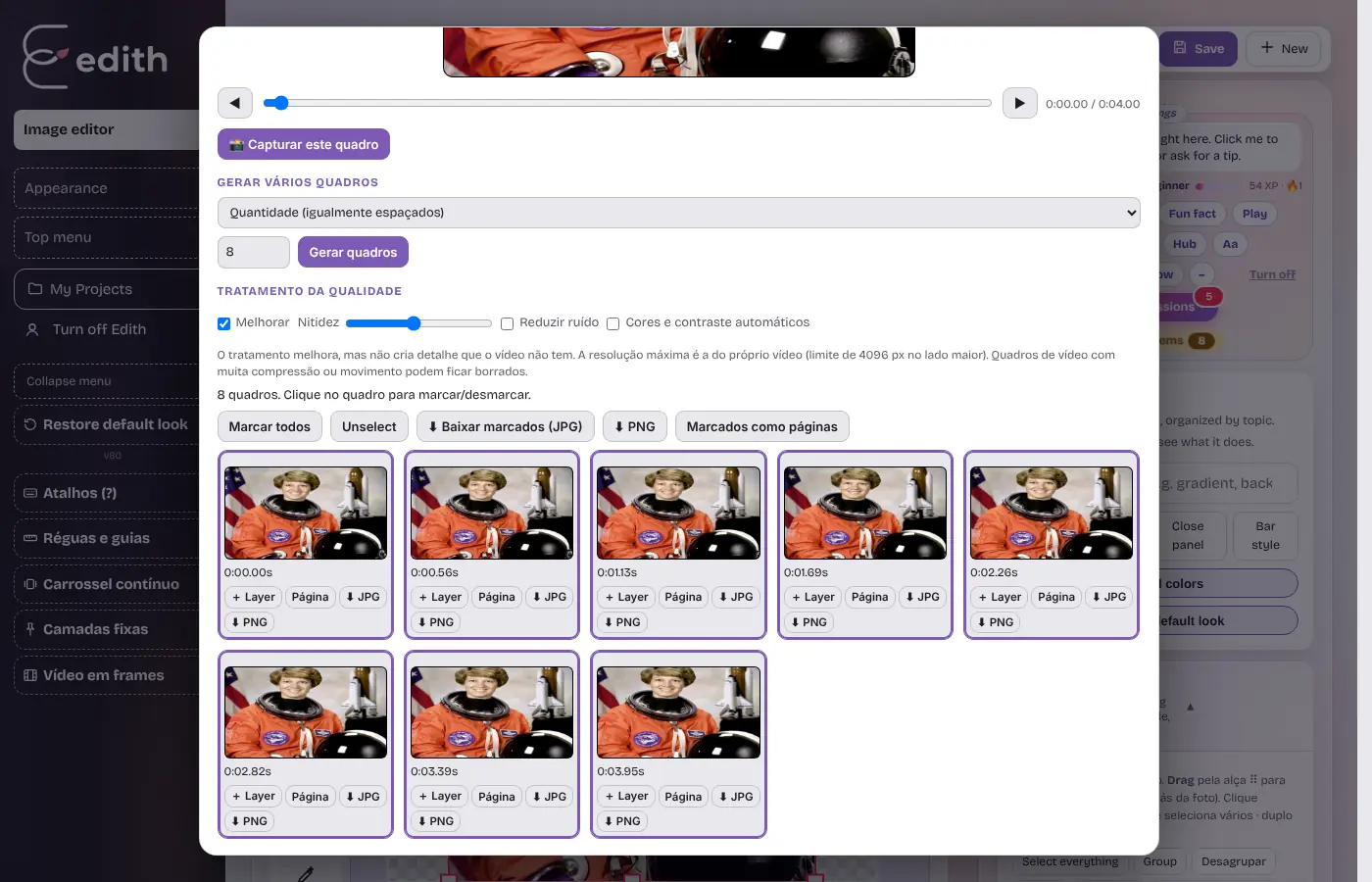
Step 4: use the frames
Each frame has its own buttons:
- + Layer: adds the frame as a layer on the current page, ready to edit.
- Page: creates a new page at the frame's size.
- JPG / PNG: downloads the frame as an image.
For many at once, click frames to select or deselect them (or use Select all), then Download selected (JPG), PNG or Selected as pages.
Tips
- Choose PNG when you will edit again (lossless) and JPG for lightweight publishing.
- Use Upscale afterwards if you need a larger image.
- Some formats (certain H.264/HEVC files) depend on your browser's support; if a video will not open, convert it to standard MP4 or WebM.
From video to design in a few clicks. Open Edith and try it with your own video.
Ready to try it?
Edith is a free online image editor that runs in your browser, no sign-up.
Open Edith (free)